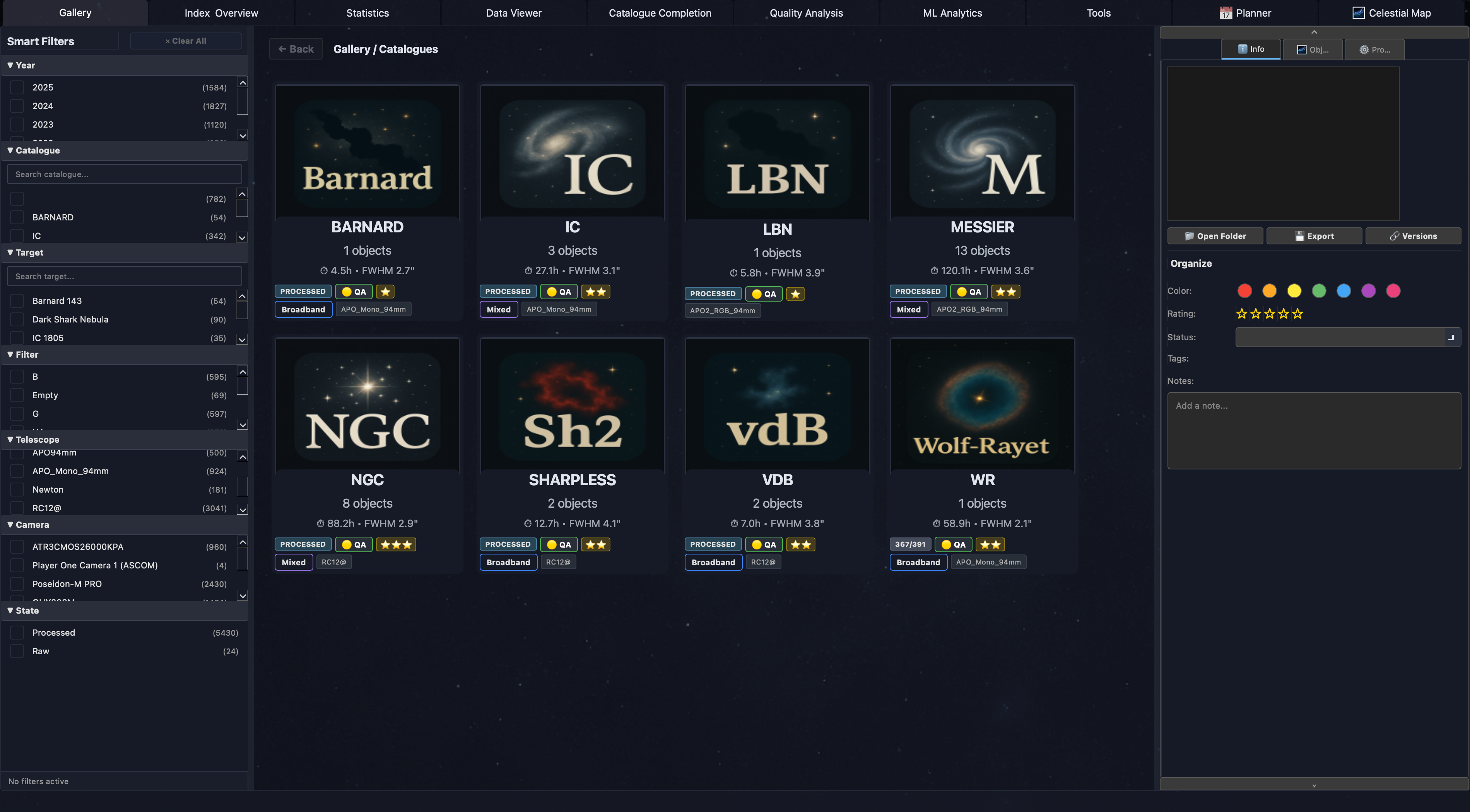
AstroIndexer analyzes your imaging history to reveal equipment performance, seeing patterns, and what actually improves your results.
AstroIndexer analyzes your imaging history to reveal equipment performance, seeing patterns, and what actually improves your results.
Runs locally on your computer
Thousands of frames. Dozens of imaging sessions. Years of data.
But which nights produced your best results? Which setup performs best? Which filters deliver the highest quality data?
Real metrics from a single astrophotographer's dataset — extracted automatically from FITS headers and quality analysis.
Your insights are generated from your own sessions. No manual data entry required.
AstroIndexer analyzes thousands of frames across multiple sessions and equipment combinations, so you can compare performance across your entire dataset instead of judging one night at a time.
Compare FWHM, ellipticity, SNR, star counts, tracking RMS, and moon phase impact across every setup you own.
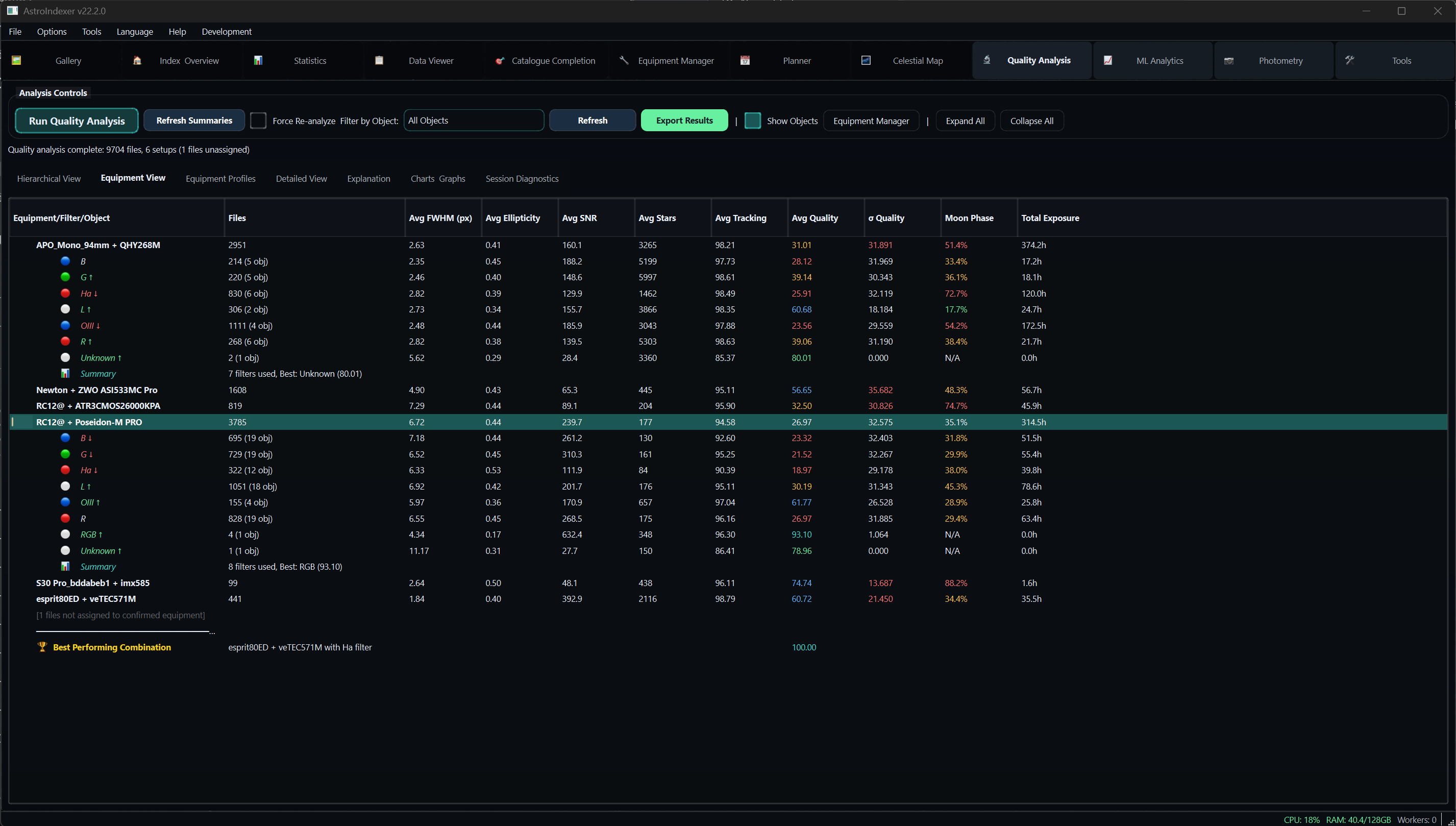
See statistical baselines and variation ranges for each telescope and camera combination to understand what consistently performs best.
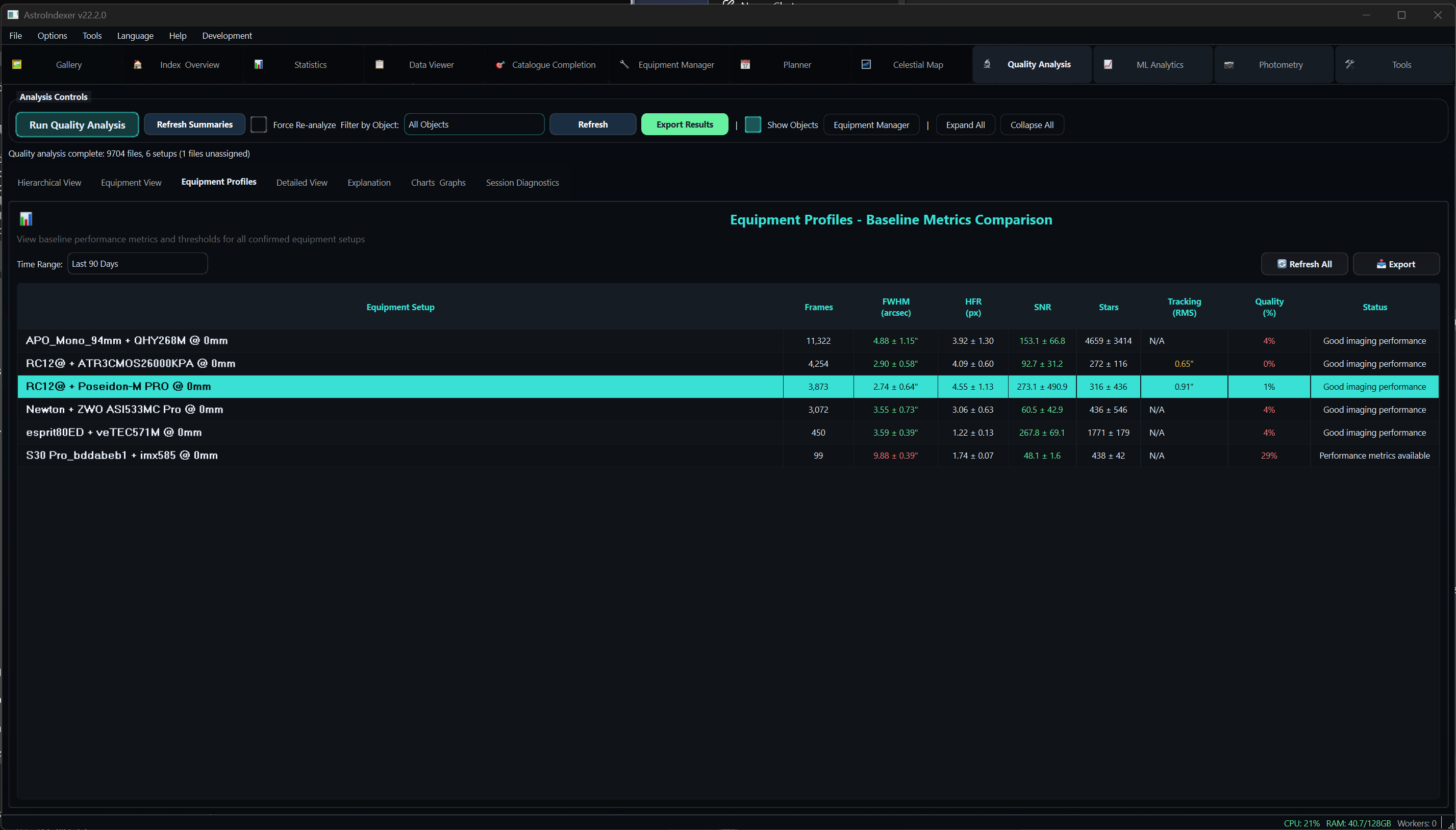
AstroIndexer automatically identifies your strongest telescope, camera, and filter combination based on quality-weighted analysis across all sessions.
Astrophotographers accumulate thousands of frames across years of imaging. But answering simple questions is surprisingly difficult:
AstroIndexer analyzes your entire imaging history to reveal those answers automatically.
Built by an astrophotographer who wanted insight from years of imaging data — not more folders, spreadsheets, and guesswork.
AstroIndexer complements the tools you already use
Point AstroIndexer at your imaging folders
Autopilot scans and indexes all frames
Quality analysis scores every image
Imaging Intelligence discovers hidden patterns
Insights reveal your best setups and conditions
Managing thousands of frames across years of imaging.
Running NINA, Voyager, or APT and needing real data intelligence.
Using PixInsight or AstroPixelProcessor and wanting frame-level quality insights.
Tracking equipment performance across home or remote setups over time.
Everything you need to organize, analyze, and understand your astronomical imaging data
AstroIndexer's own plate solver detects the star field, computes the WCS solution, and stores native SIP distortion coefficients per frame — no external ASTAP or astrometry.net to install. 18.6% faster median solve time than ASTAP.
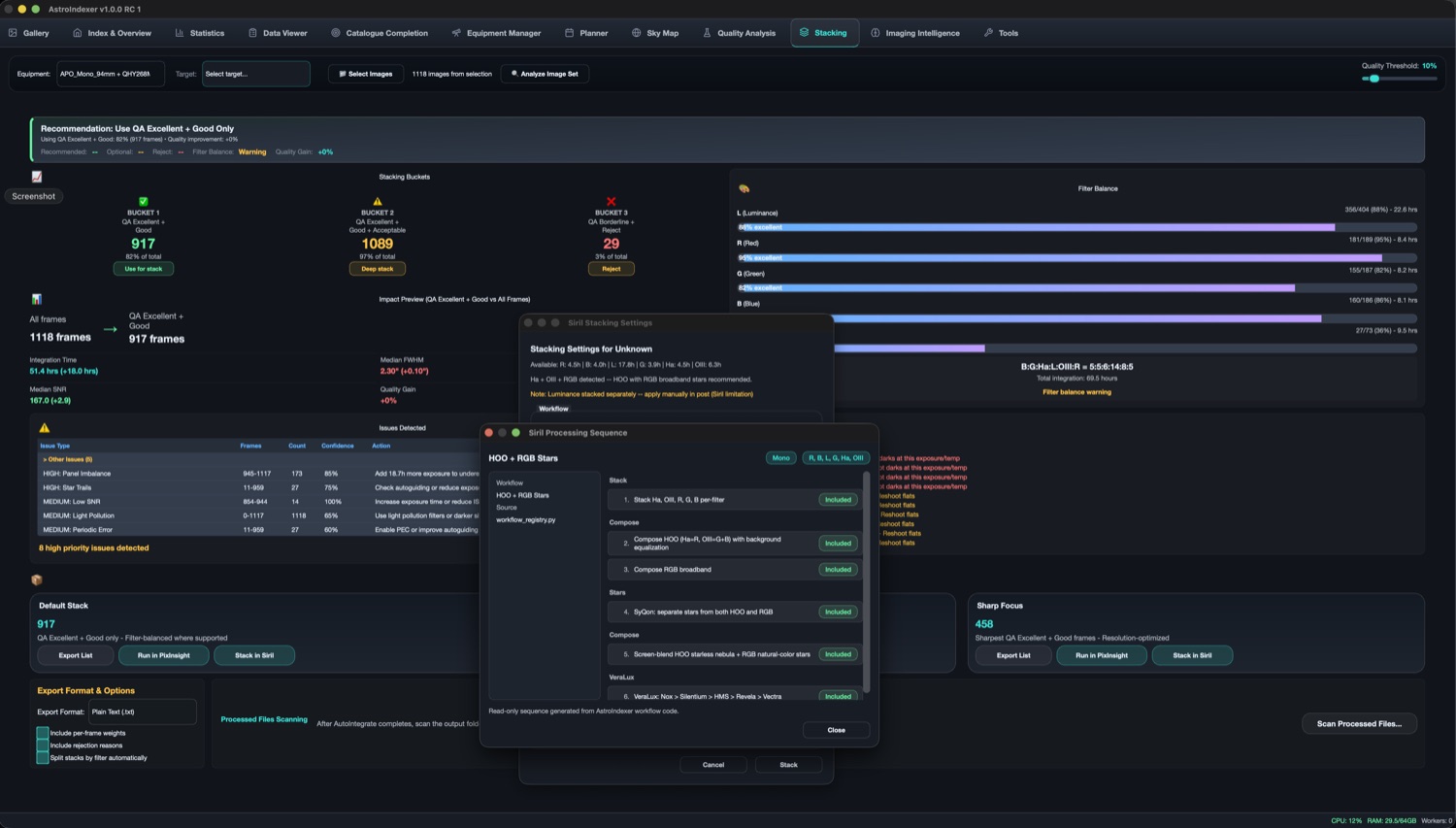
QA scores sort every sub into Excellent, Good, Acceptable and Reject buckets, then AstroIndexer hands the keepers to a stacker: one-click PixInsight AutoIntegrate or automatic Siril stacking, with ready-made OSC, broadband and narrowband sequences.
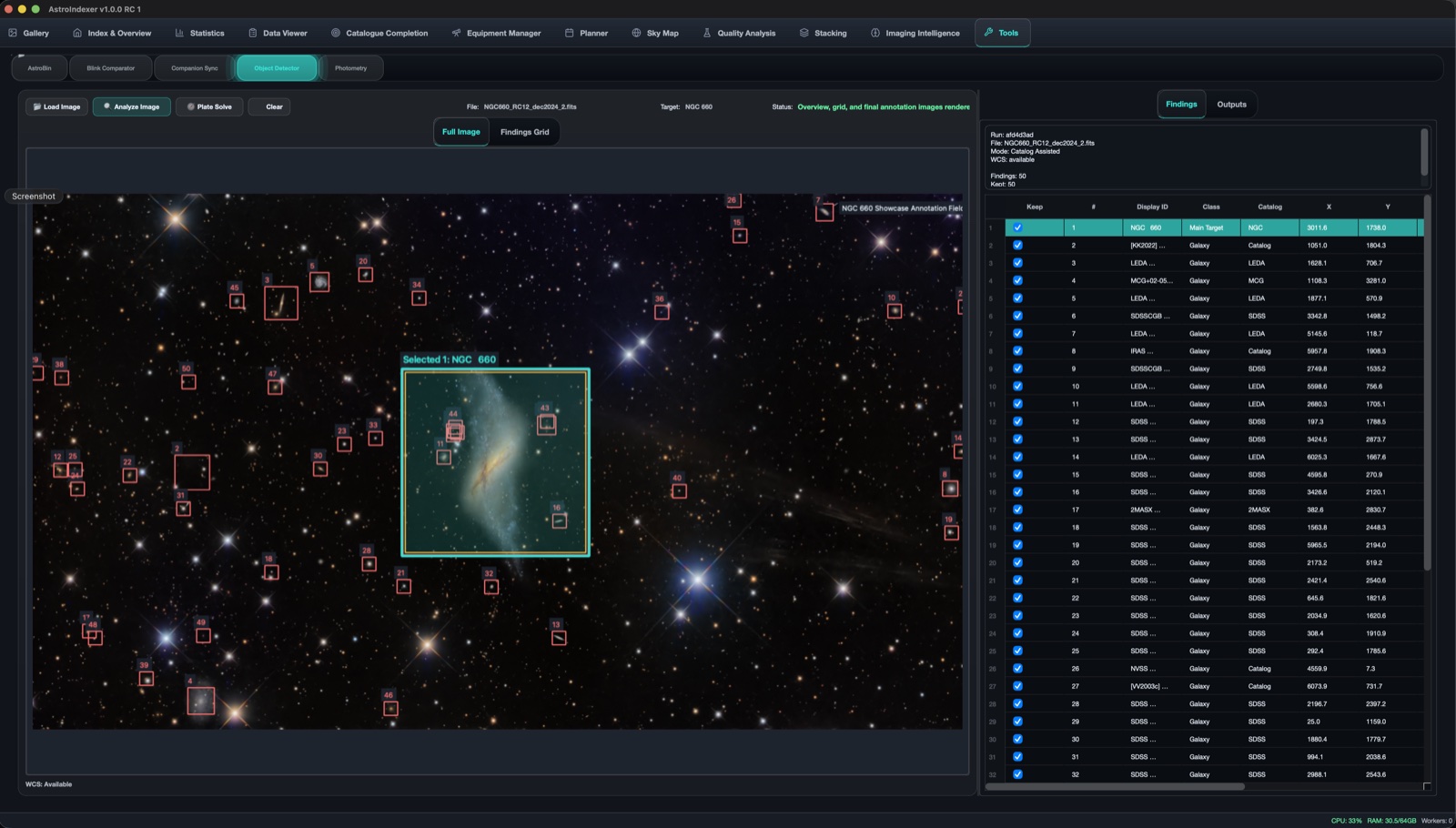
Annotates every catalogued object in a solved frame — galaxies, clusters and more — cross-matched against LEDA, SDSS, MCG and 2MASX, with a keep / reject findings table.
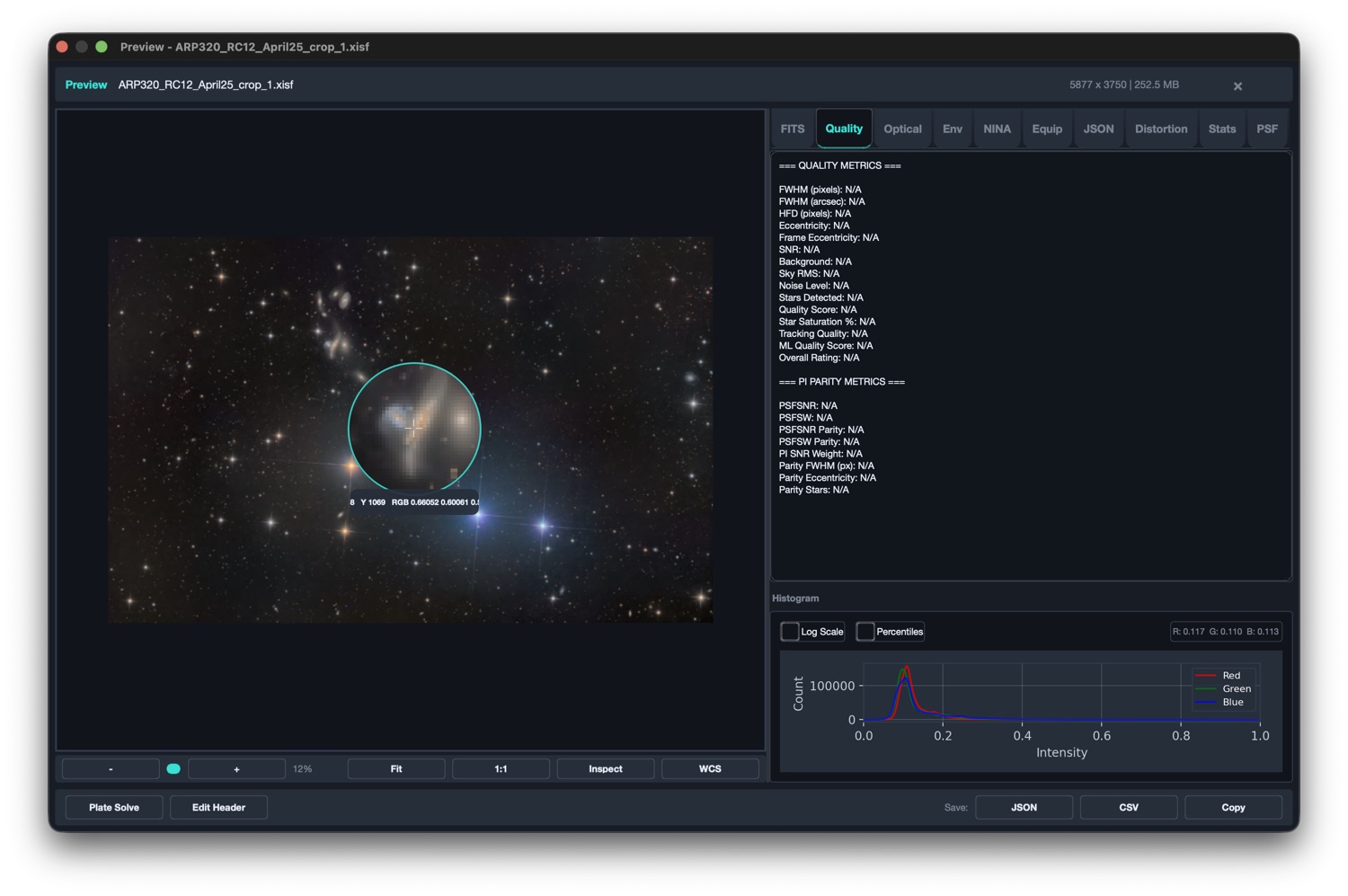
Pixel-peep any sub at 1:1 with a magnifier loupe. Live FWHM, HFR, eccentricity, SNR and PixInsight-parity PSF metrics, plus a per-pixel RGB readout and histogram — without leaving the gallery.
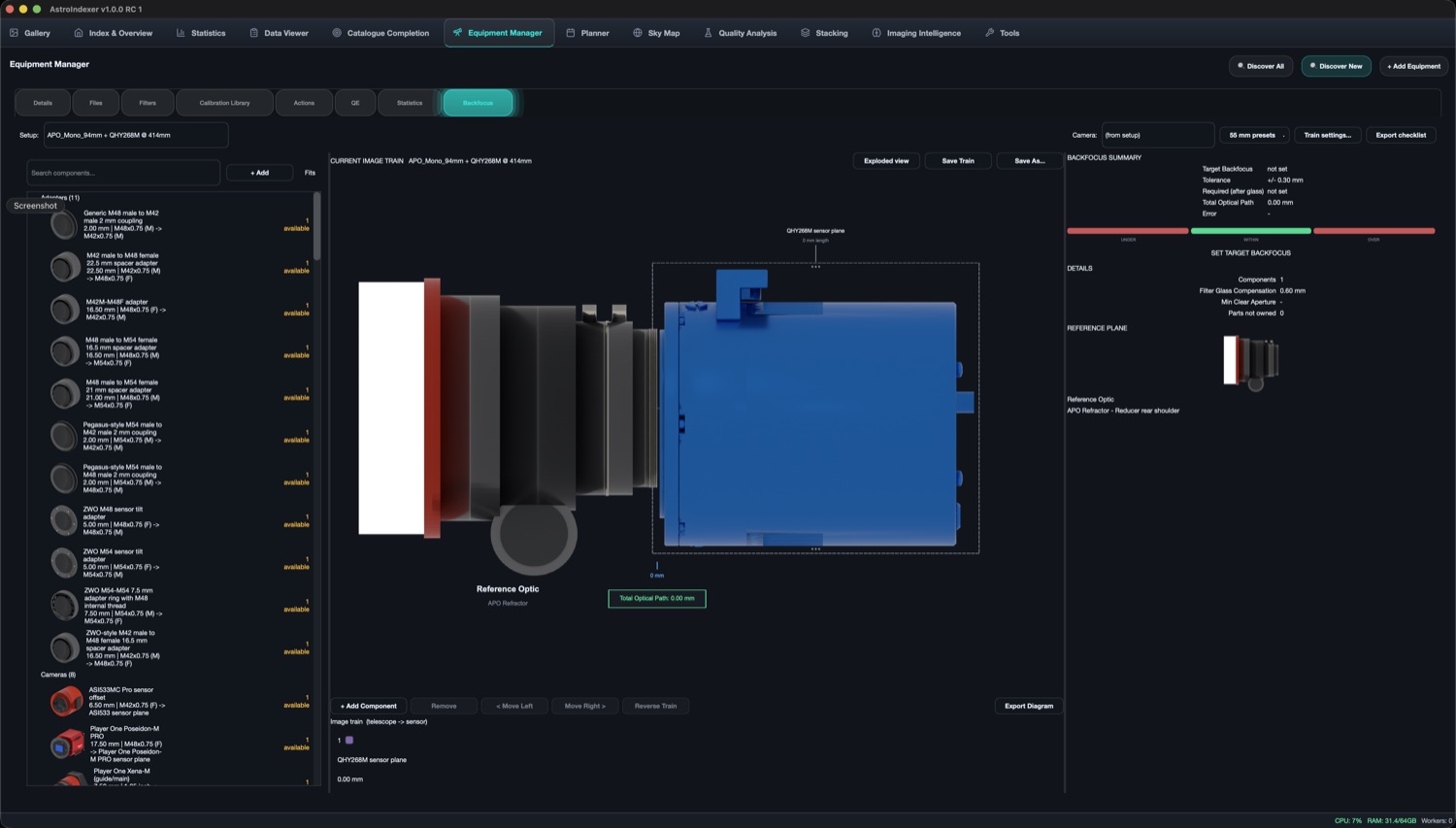
Build your imaging train from a vendor inventory, see it drawn to scale, and get the exact spacer combination to hit each sensor's required backfocus — with an under / within / over tolerance band.
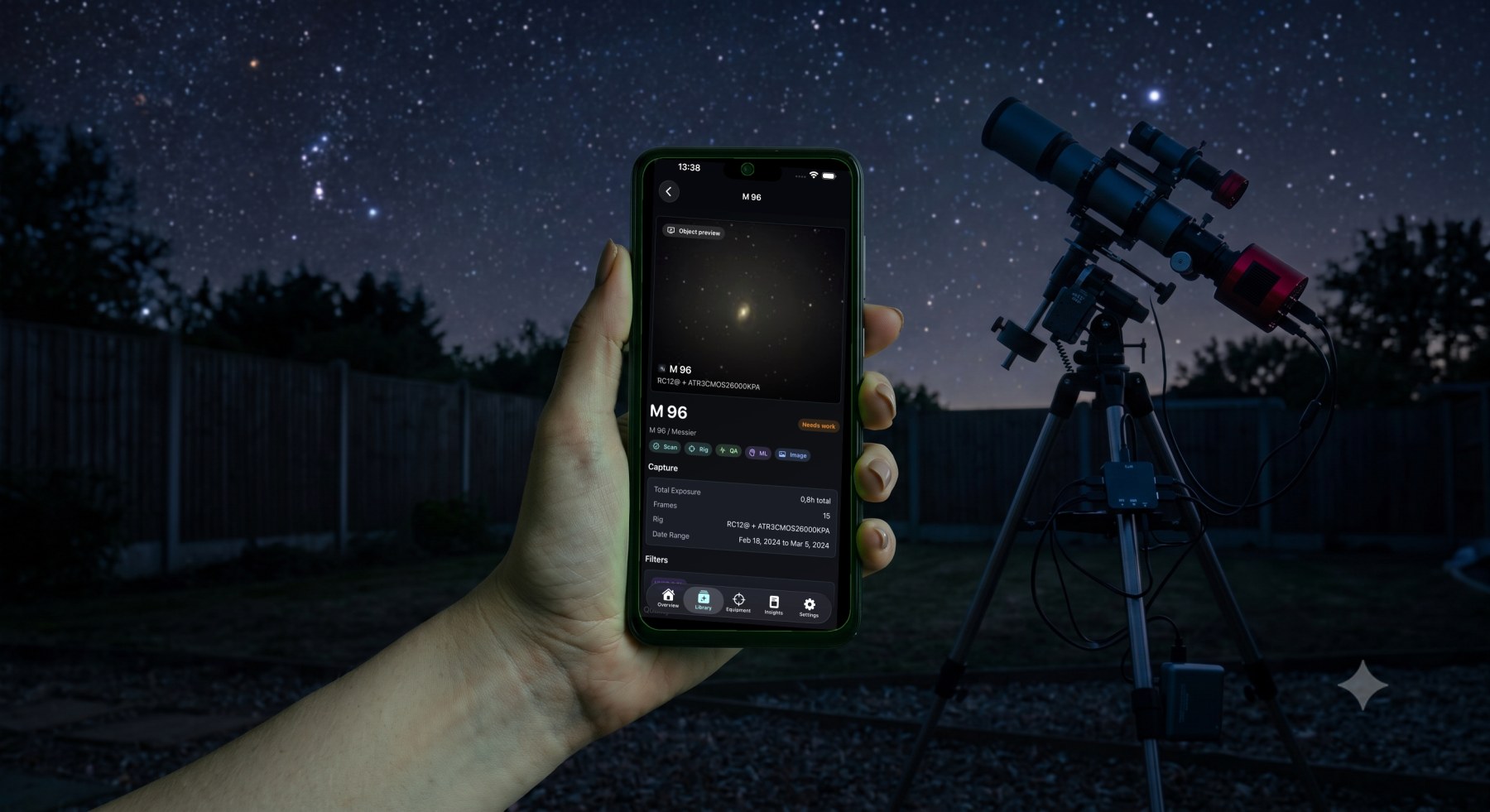
Browse your catalogue, check per-object capture stats, and see Scan, QA and ML status from the field or the couch. iOS is live on the App Store; Android is in final review.
7-stage scanning pipeline extracts 93+ fields from FITS and XISF headers. Supports SeeStar smart telescopes, NINA CSV integration, and stacked-image detection.
Browse 100,000+ frames with virtual scrolling, 6-level drill-down, smart filters by quality, equipment, and moon phase.
Auto-discovery from FITS headers with automatic filter recognition, gain/offset detection, QE sensor curves, calibration library, and Bortle sky brightness settings.
Session statistics, exposure totals by target and filter, equipment performance baselines, and quality distribution analysis.
Equipment-aware target recommendations based on your optics, location, season, and sky conditions. 5-state project pipeline with Smart Plan scoring and moon analysis.
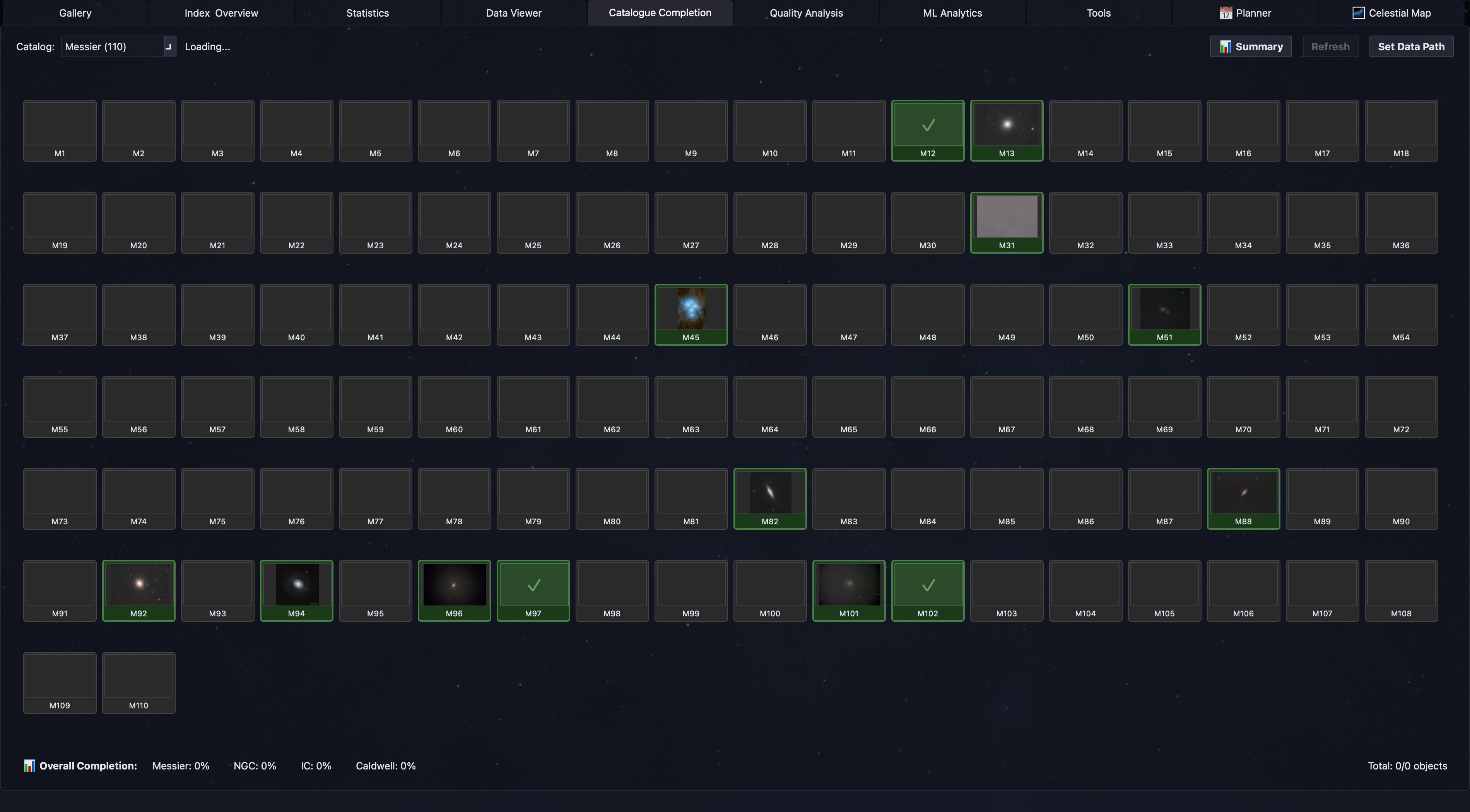
Track progress across 26+ astronomical catalogues including Messier, NGC, IC, Caldwell, and Sharpless with color-coded visual grids.
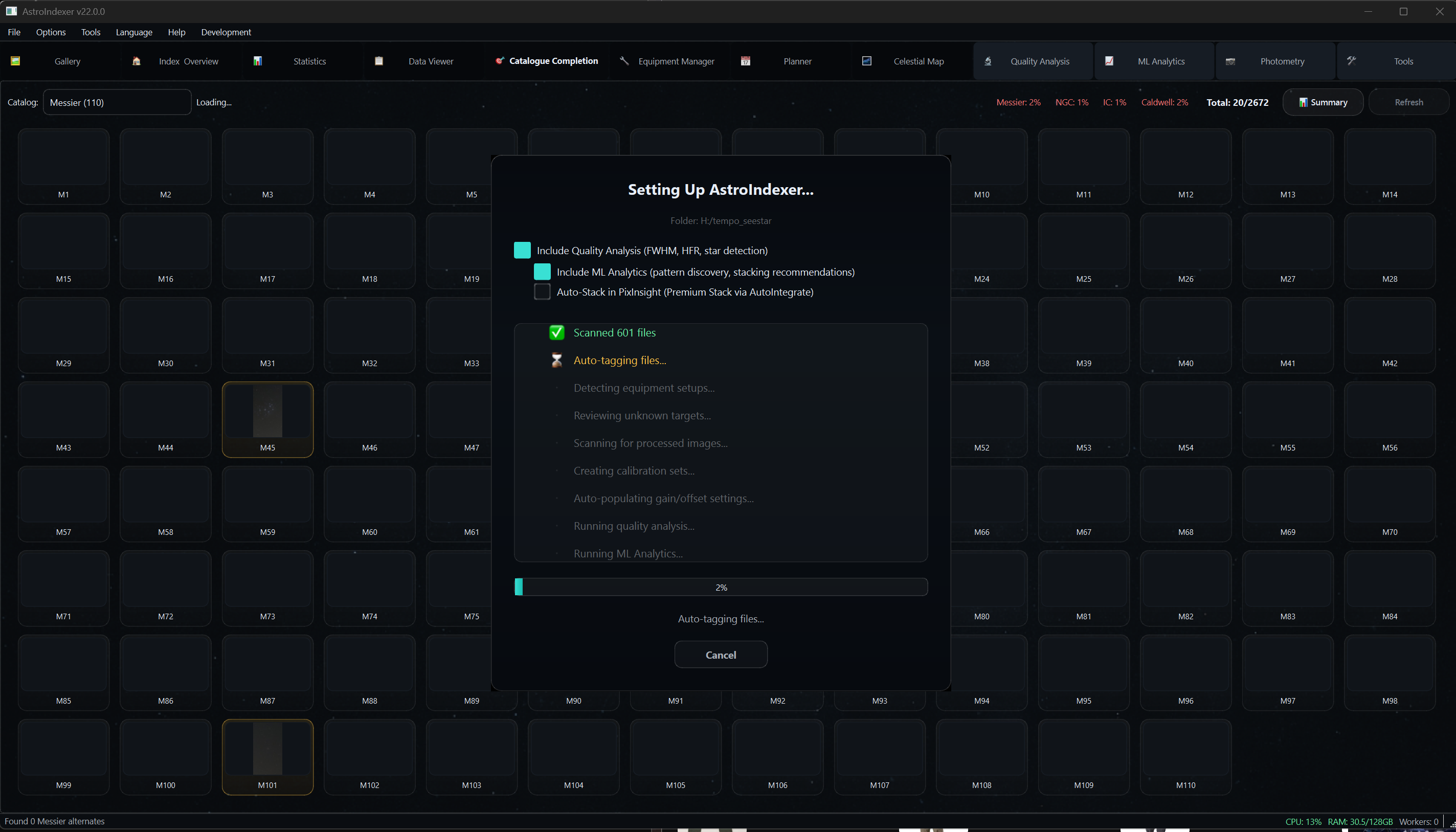
One-click automated workflow: scan folders, detect equipment, create calibration sets, run quality analysis, and Imaging Intelligence in a single pipeline.
AstroBin gallery sync with published badges and acquisition push. PixInsight AutoIntegrate export with combination mode selection.
Interactive sky atlas with FOV overlays and mosaic positioning, plus a celestial map showing your imaging coverage across the sky.
Automatically score your captures and find the best frames for clean, detail-rich stacks. AstroIndexer detects sharpness, signal, star shape, background problems, and common capture errors.
Spot the patterns in your astrophotography: which nights, filters, setups, and conditions truly deliver the best results - and where hidden problems are holding your image quality back.
Get clear, easy-to-follow recommendations for frame selection, stacking, and equipment optimization - running locally on your computer by default, with optional support from OpenAI or Claude.
Powerful tools designed for serious astrophotographers
New in 1.0 Release Candidate 1
No more shelling out to an external tool. AstroIndexer's own plate solver detects the star field, computes the WCS solution, and stores native SIP distortion coefficients right alongside your frame. In the latest raw-light benchmark it posted an 18.6% lower median solve time than ASTAP.
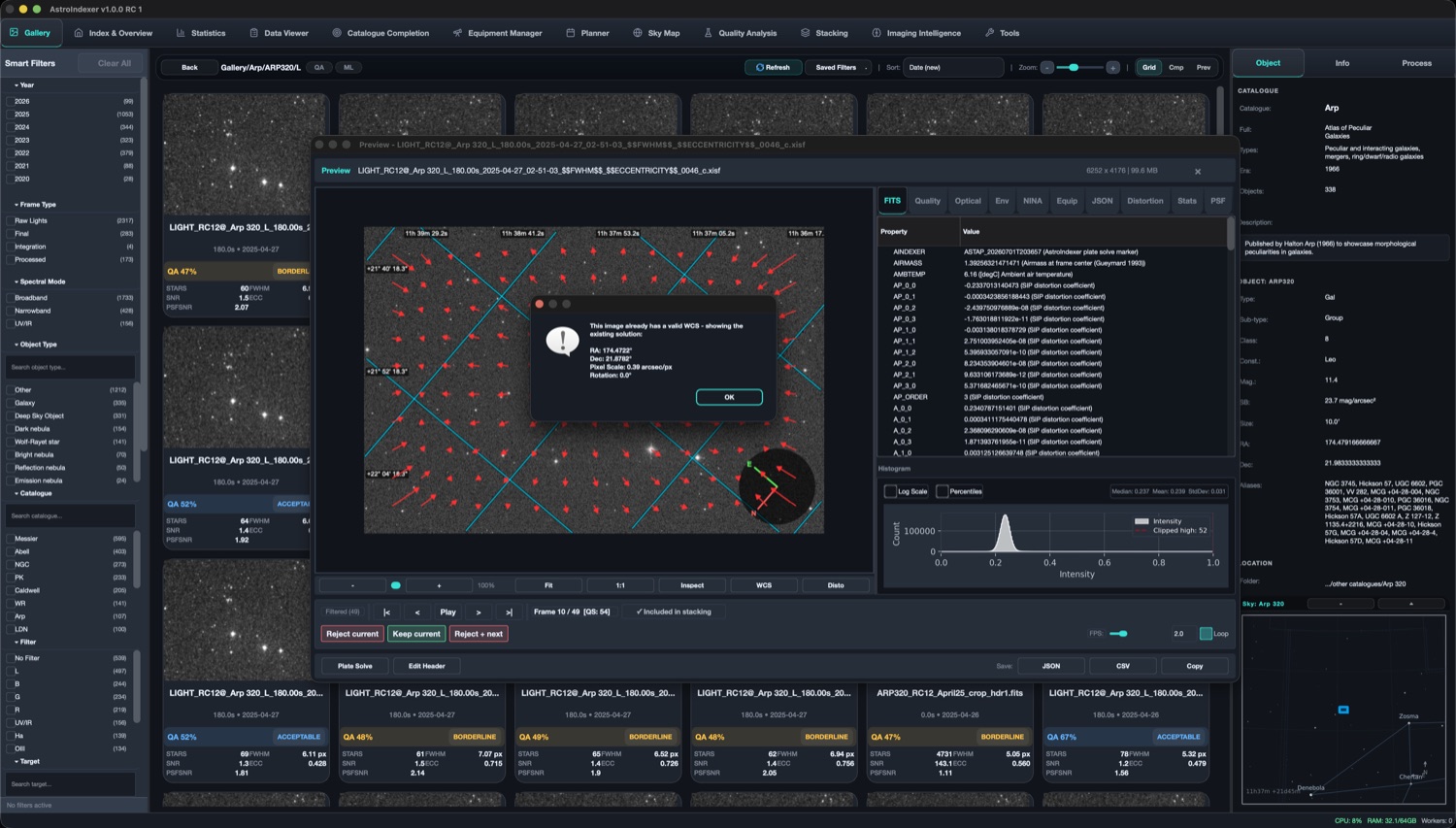
A magnifier loupe for your subs. Move over the frame to inspect stars at 1:1, read live quality, PSF and PixInsight-parity metrics, and check the histogram — all without leaving the gallery.
AstroIndexer reads your QA scores, sorts every sub into Excellent, Good, Acceptable and Reject buckets, and balances your filters for you. Then it hands the keepers straight to a stacker — no manual set-up, no juggling scripts.
Point the Object Detector at any solved frame and it annotates every catalogued object it finds — galaxies, clusters and more — cross-matched against LEDA, SDSS, MCG and 2MASX, with a keep / reject findings table and per-object thumbnails.
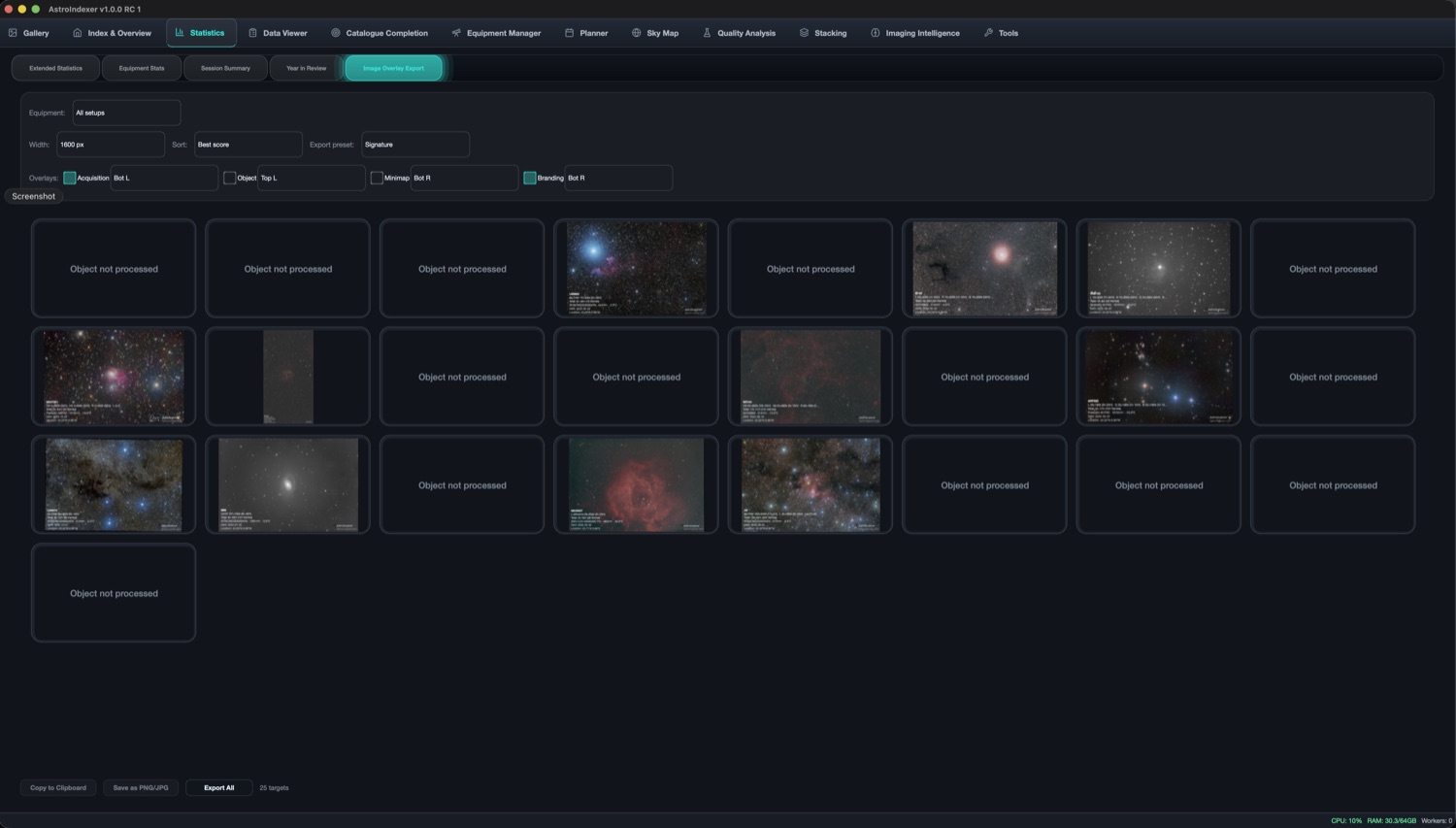
Turn your processed results into images that are ready to post. Image Overlay Export lays acquisition details, object info, a minimap and your own branding straight onto each frame, then batch-exports your whole library at the size you choose.
The Backfocus Manager grew up. Build your train from a vendor inventory, see it drawn to scale, and get the exact spacer combination to hit each sensor's required backfocus — with an under / within / over band so you know instantly when you are in tolerance.
AstroIndexer also has companion apps for iOS and Android — your catalogue, capture stats and pipeline status, from the field or from the couch.
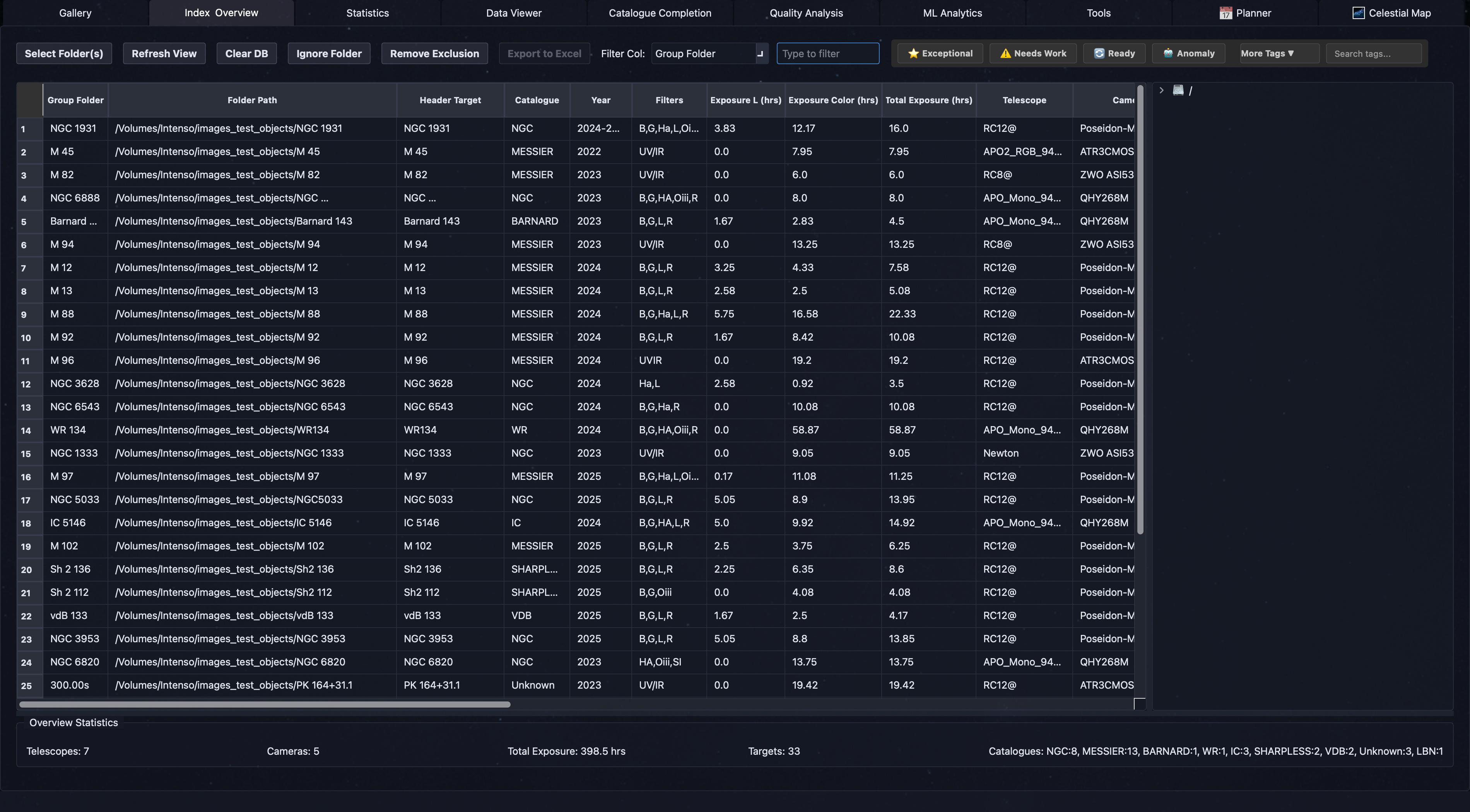
Browse your entire astrophotography collection with lightning-fast virtual scrolling. View thumbnails of 100,000+ images without lag.
Your command center for all imaging data. Get instant insights into your collection with smart categorization.
Point AstroIndexer at your imaging folder and let Autopilot handle everything: scanning, equipment detection, tagging, calibration set creation, gain/offset setup, quality analysis, and Imaging Intelligence -- all in one automated pipeline.
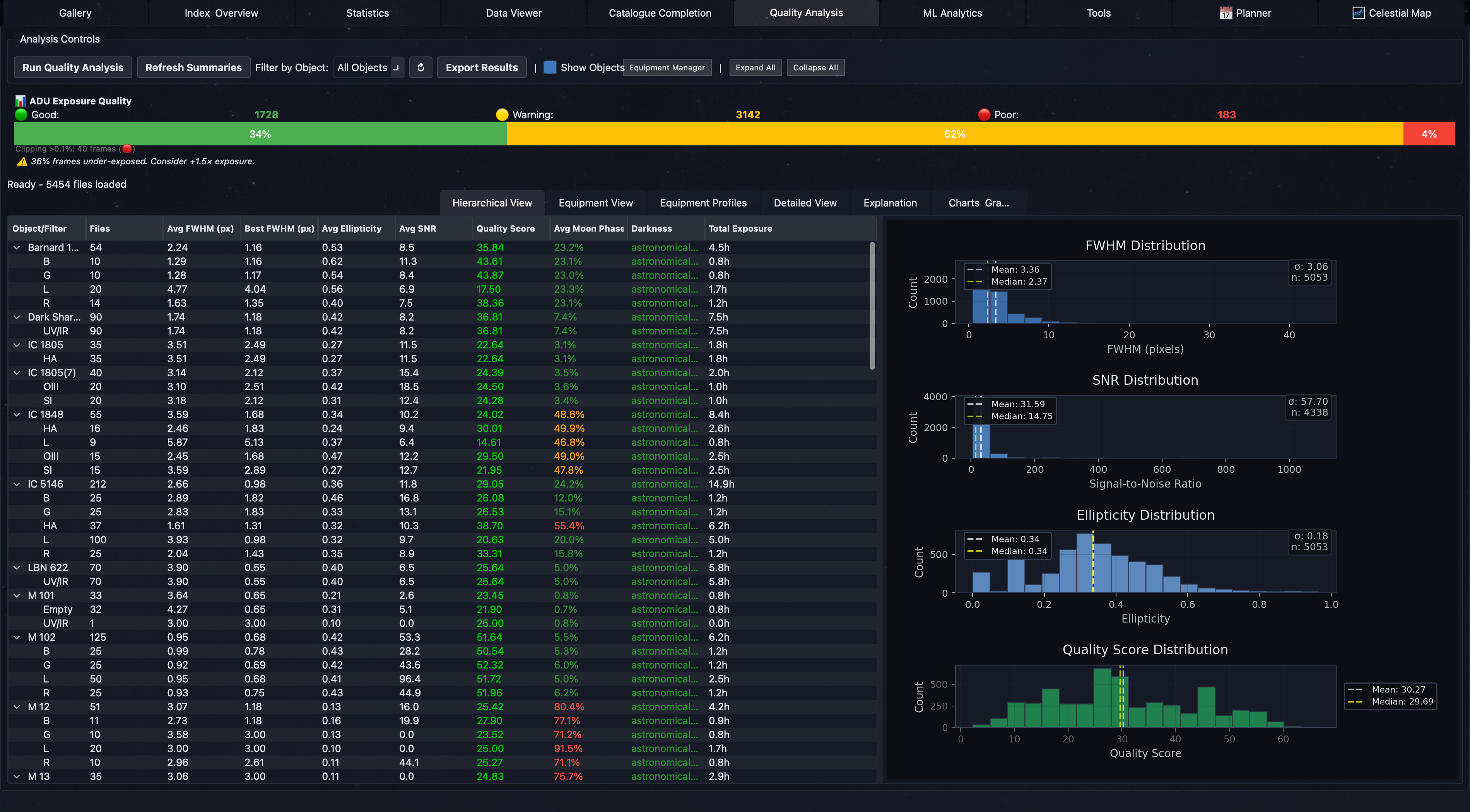
Comprehensive image quality metrics with FWHM, HFR, eccentricity, and star count analysis. Automatically grade and sort your images to identify the best frames for stacking.
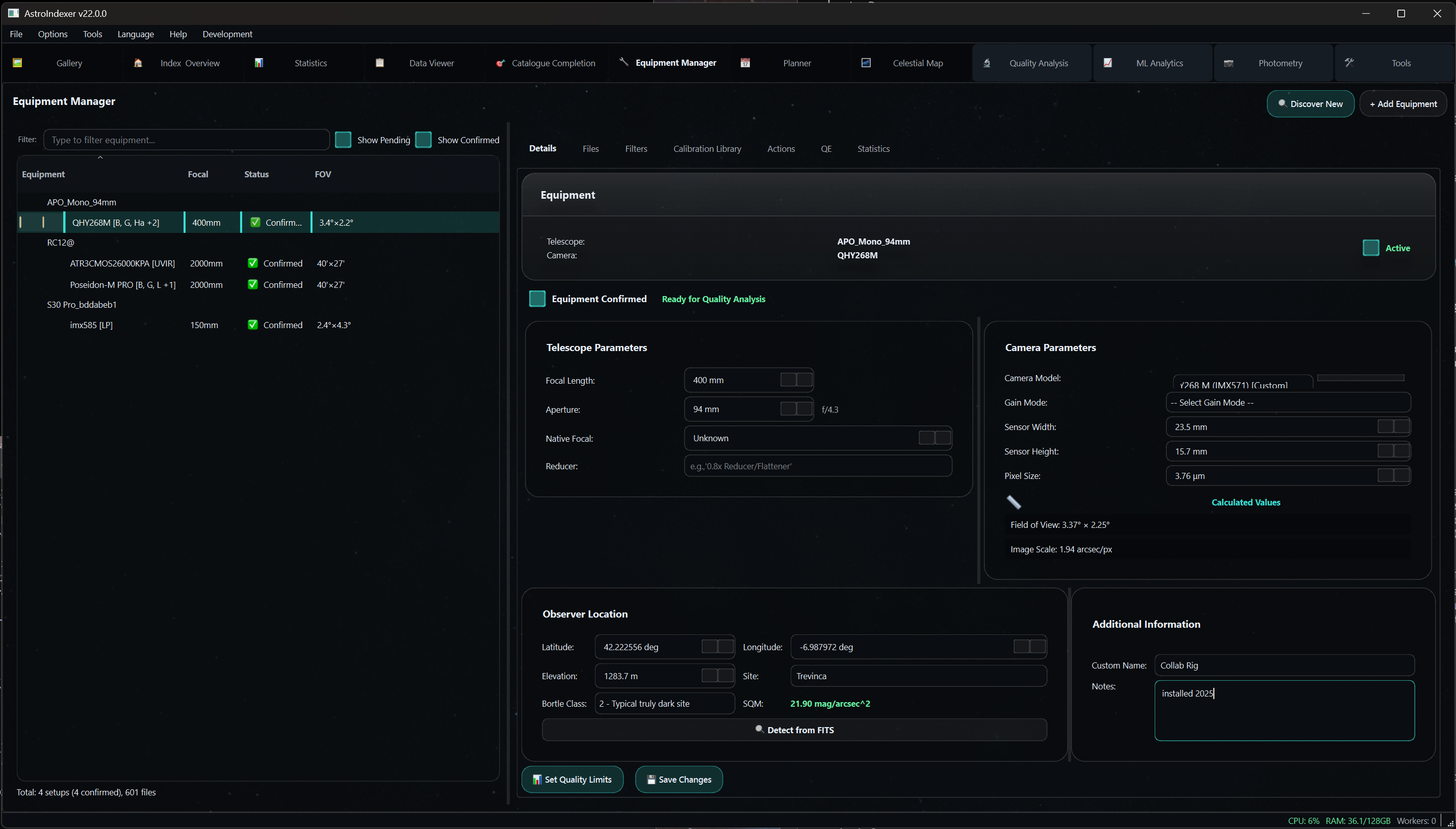
Auto-discovers telescopes, cameras, and filters from your FITS headers. Automatic filter recognition, gain/offset detection, QE sensor curves, calibration library with target linking, and observing site configuration.
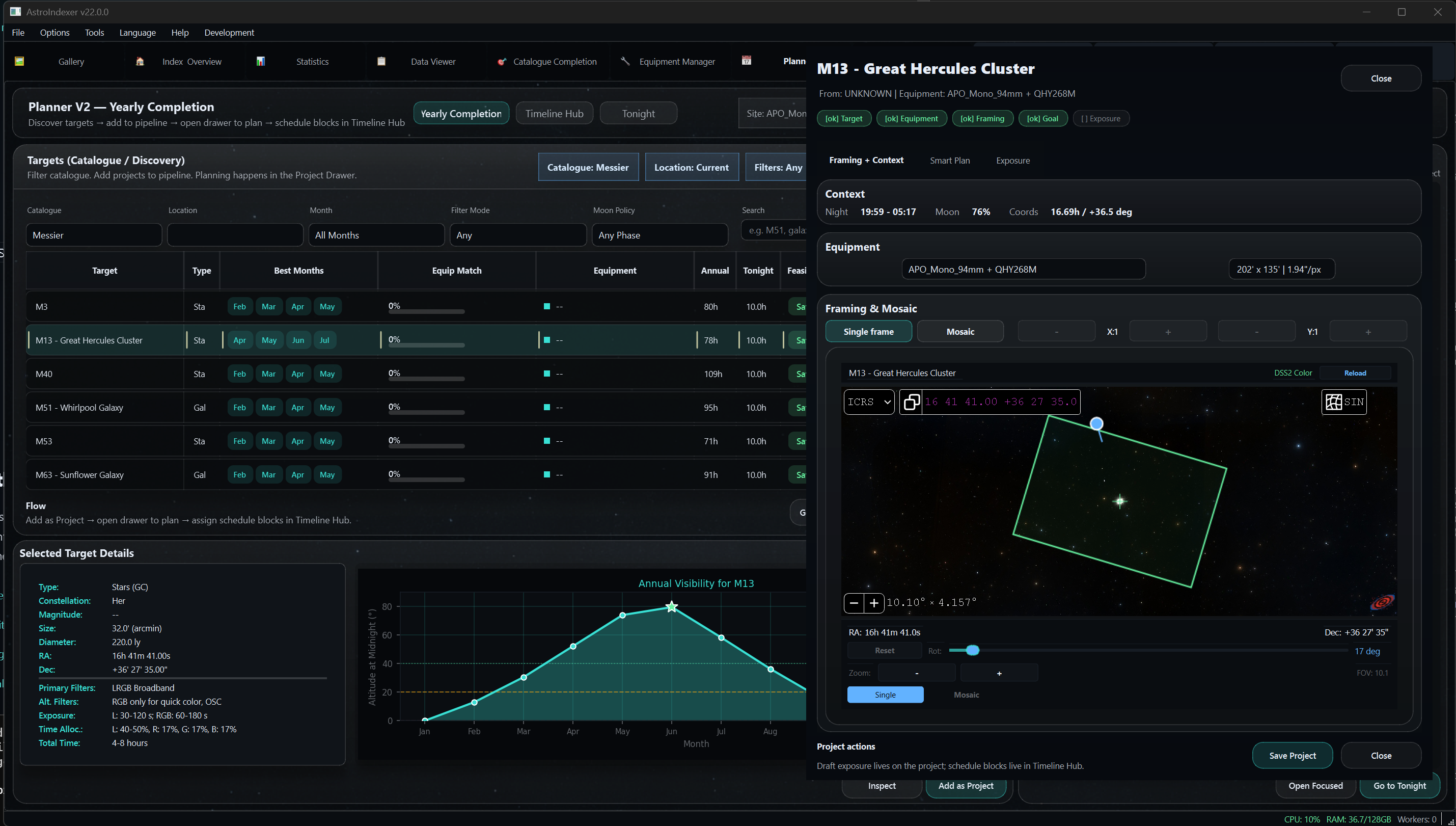
Recommends suitable targets based on your equipment capabilities, observing location, time of year, and sky conditions. 5-state project pipeline with Smart Plan scoring.
Interactive sky atlas with field-of-view overlays showing exactly what your equipment captures. Plan mosaic panels, check framing, and discover new targets.
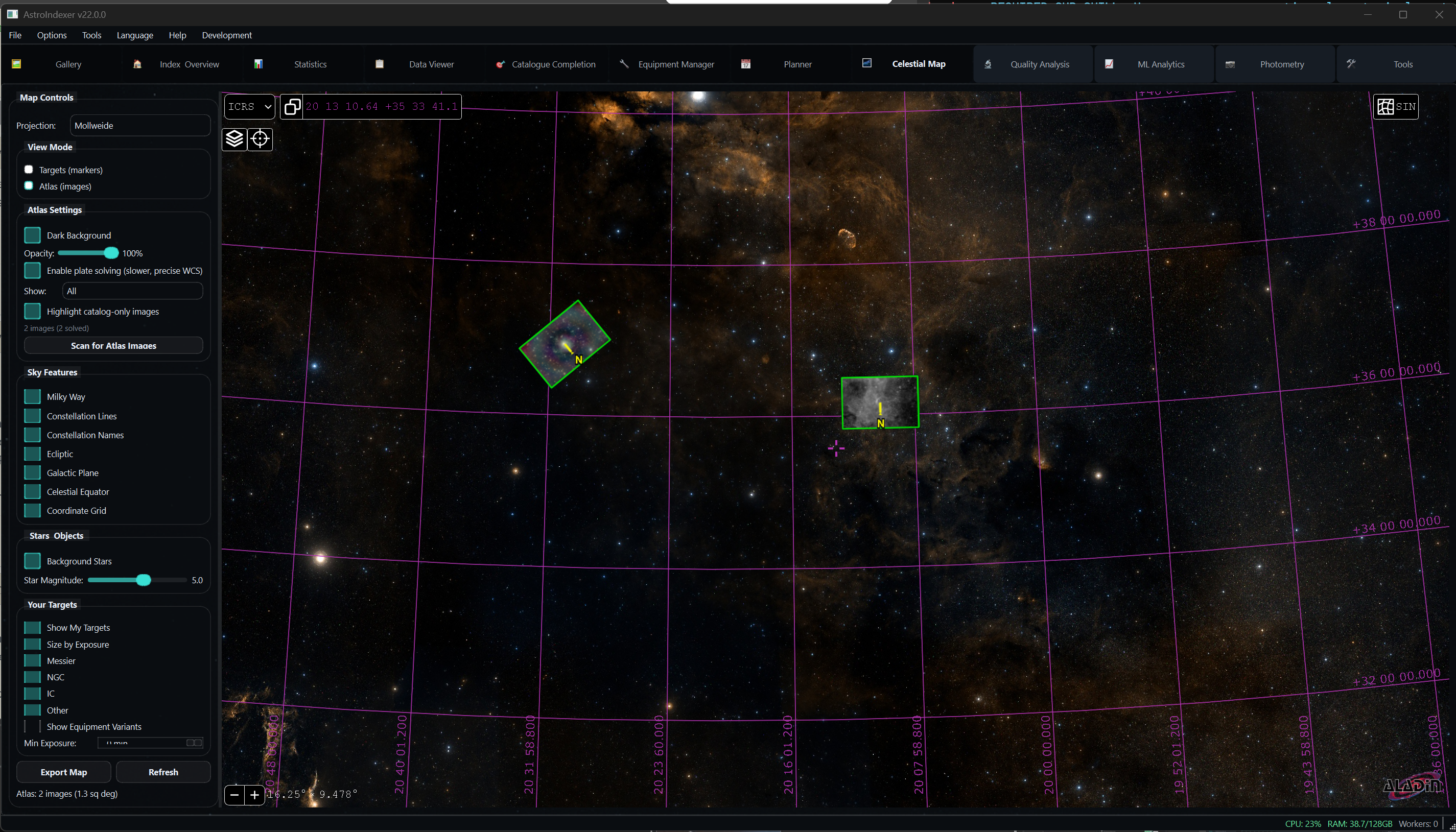
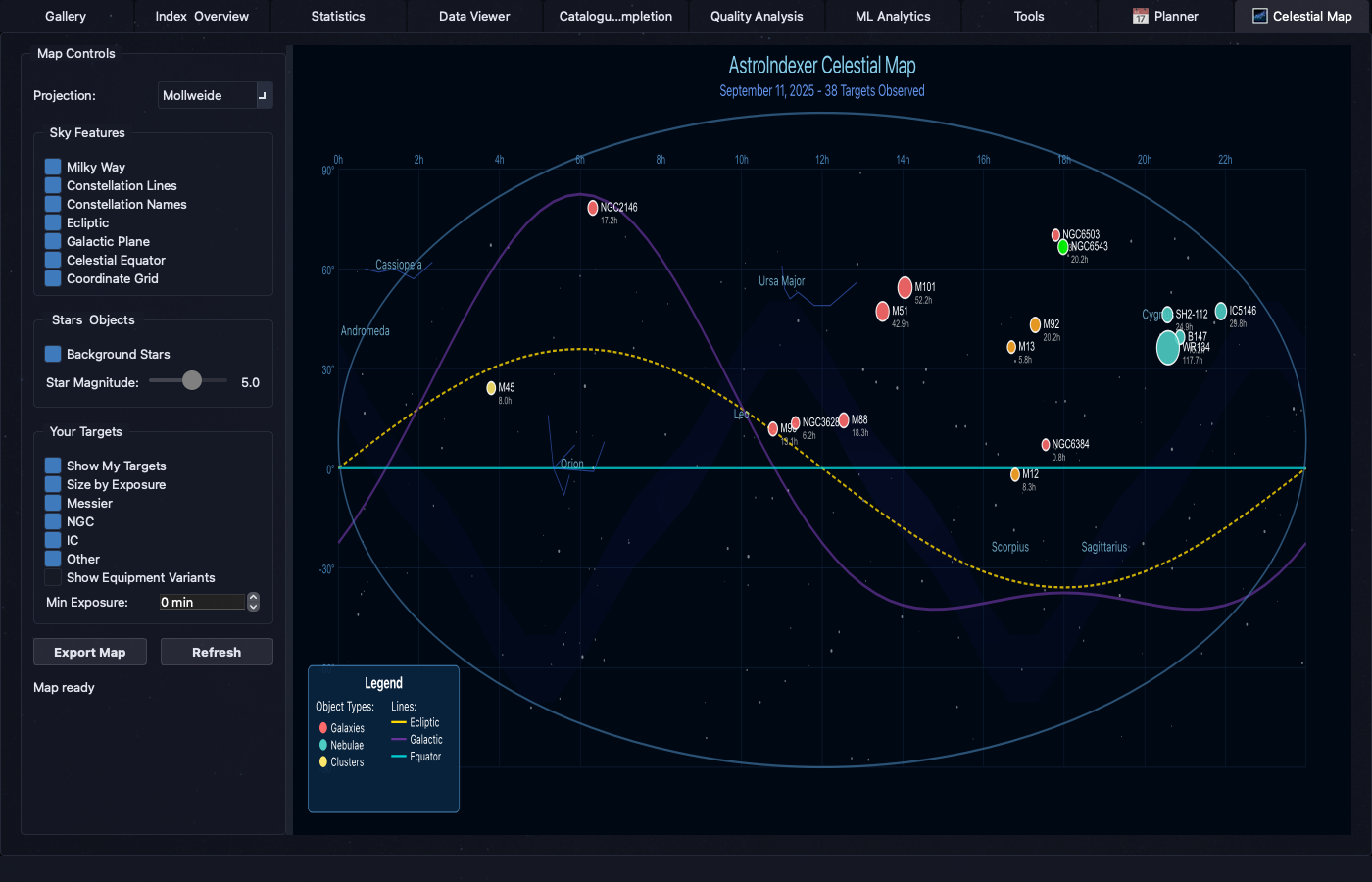
Visualize your entire imaging collection on an interactive sky map. See coverage gaps, plan future sessions, and explore your astrophotography journey.
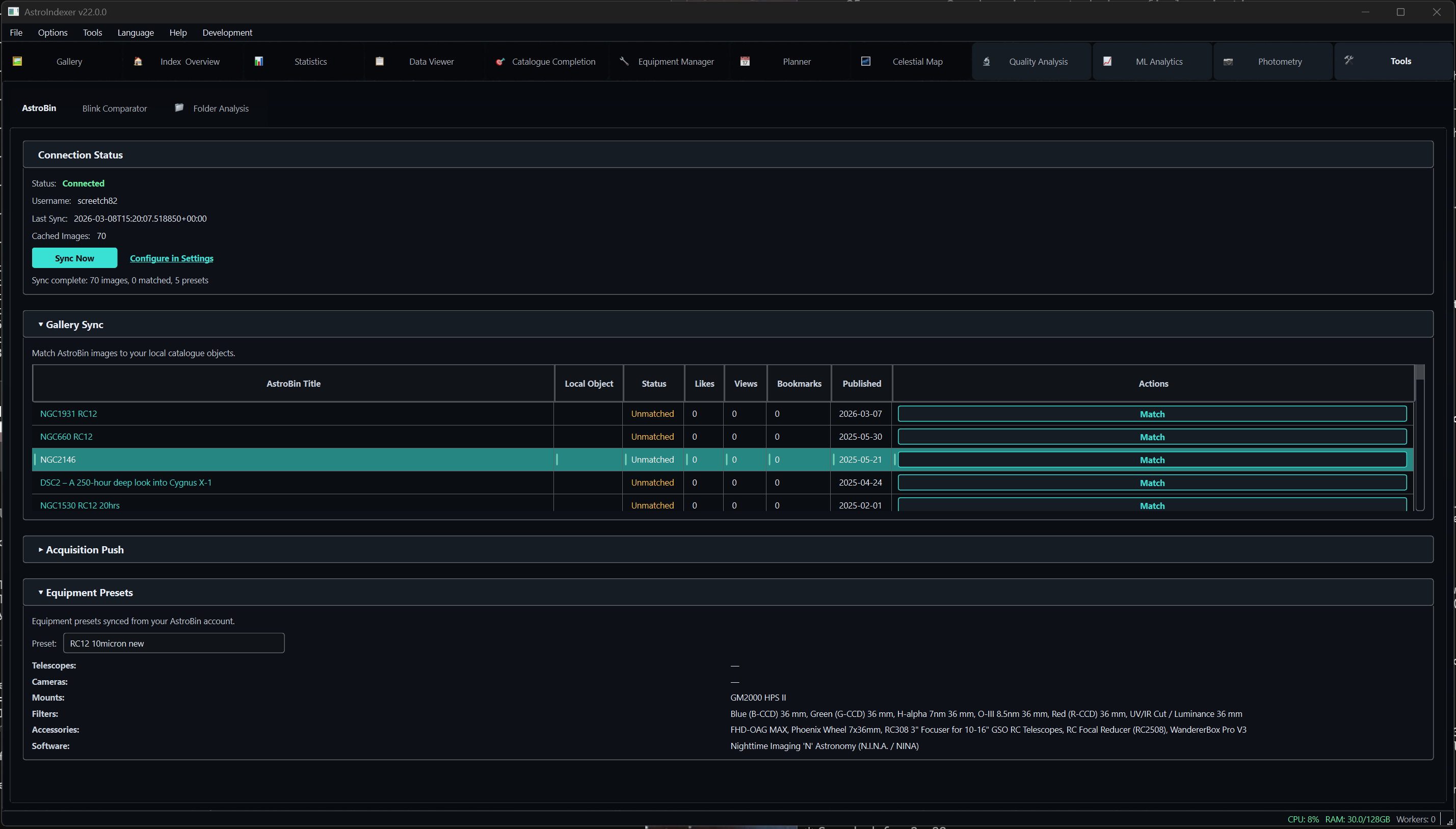
Sync your AstroBin gallery with automatic catalogue-ID matching. See which targets you have published, push acquisition data, and display published badges in your local gallery.
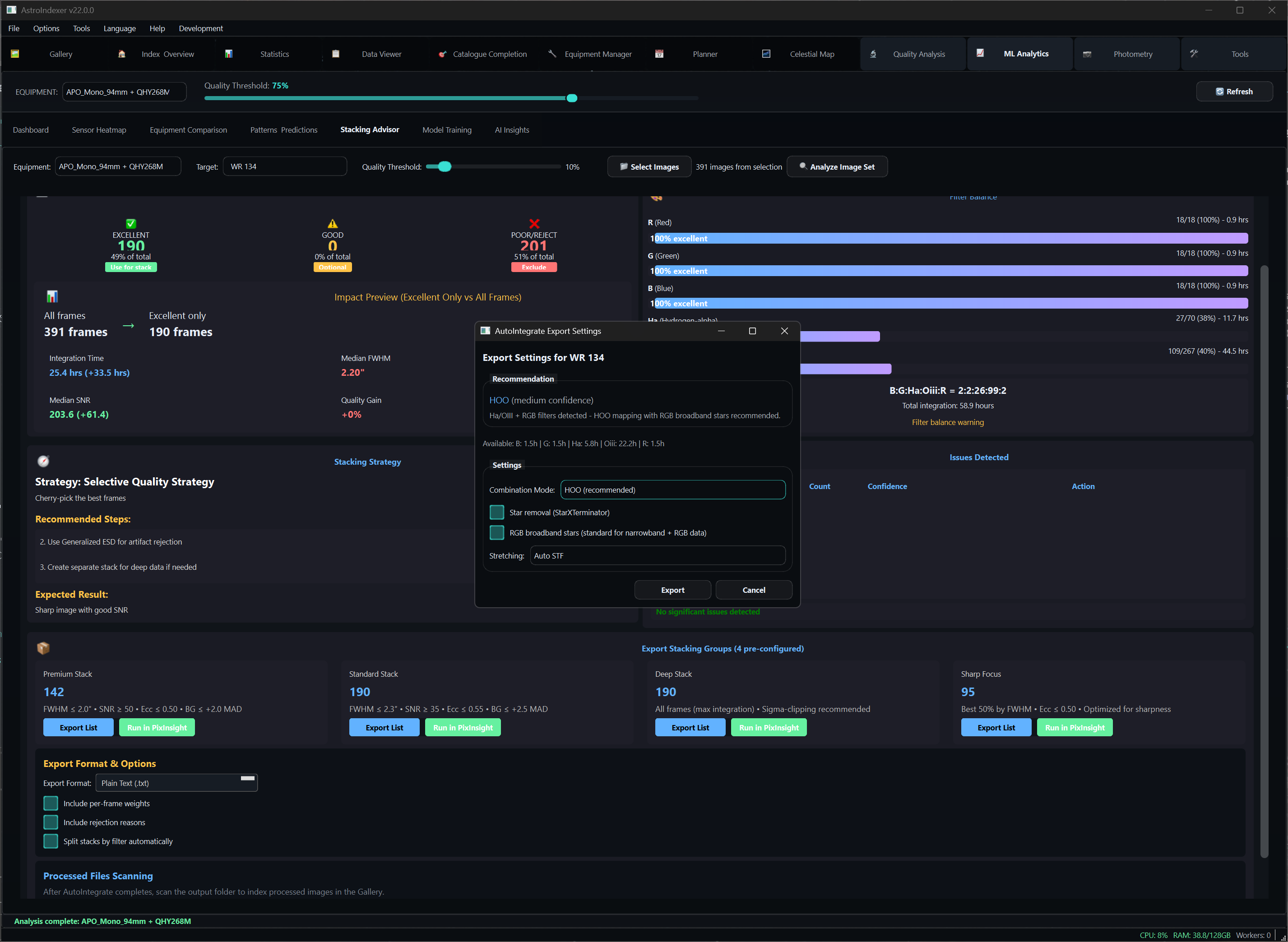
PixInsight-aligned frame selection with Winsorized Sigma Clipping at threshold 2.2. AutoIntegrate Combination Recommender selects the optimal palette from 11 options based on your filters and object type.
Track your progress through Messier, NGC, IC, and other astronomical catalogs with interactive visual grids.
40 Patterns Across 9 Categories -- Discover What Your Data Reveals
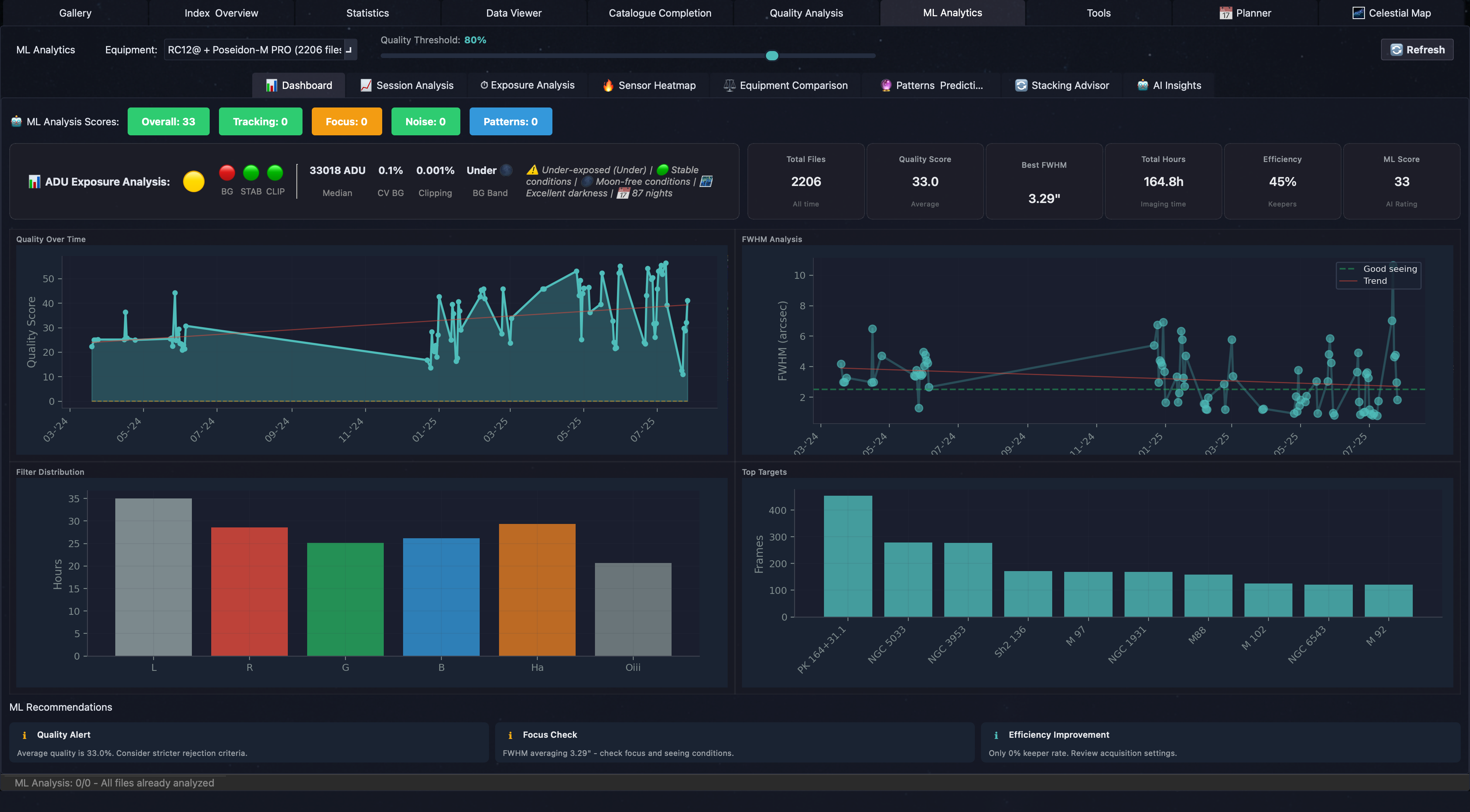
40 patterns across seasonal, moon, equipment, focus, thermal, atmospheric, optical, and optimization categories. Every pattern includes confidence scores and actionable recommendations.
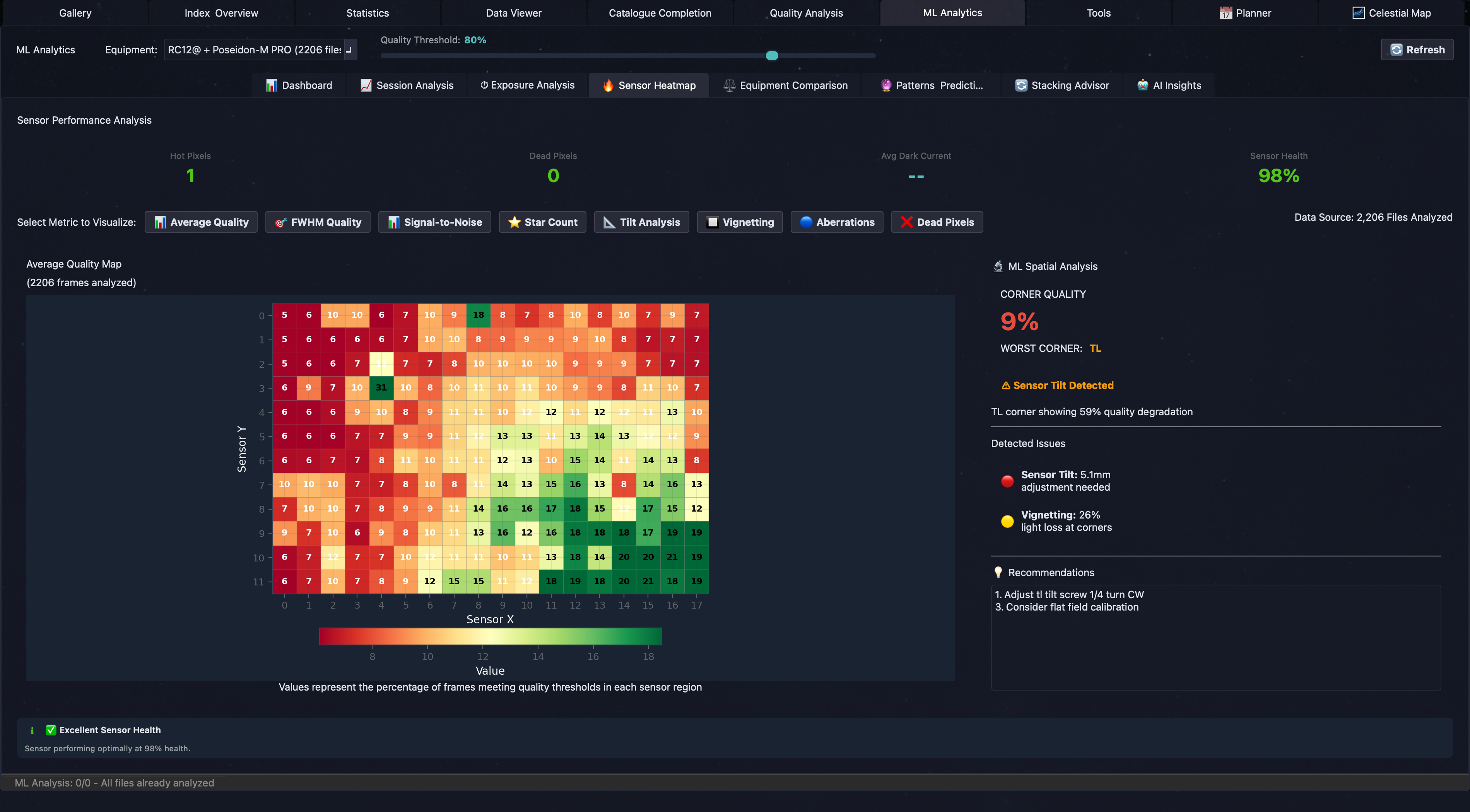
Visualize sensor performance across your entire frame to identify vignetting, dust motes, and optical aberrations.
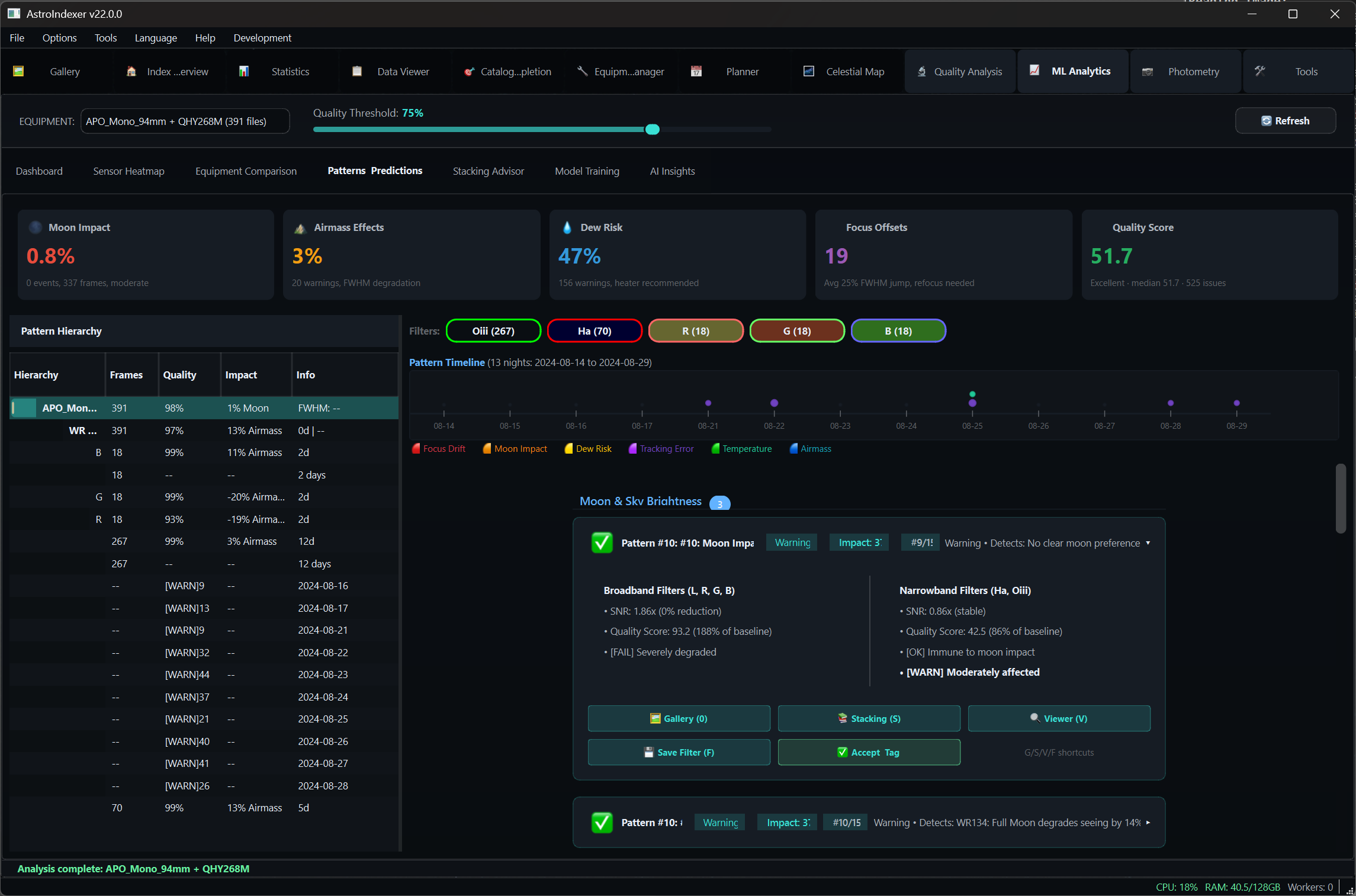
Discovers seeing bimodality, cloud cover impact, sky gradient trends, field curvature signatures, sensor tilt, and optical degradation over time.
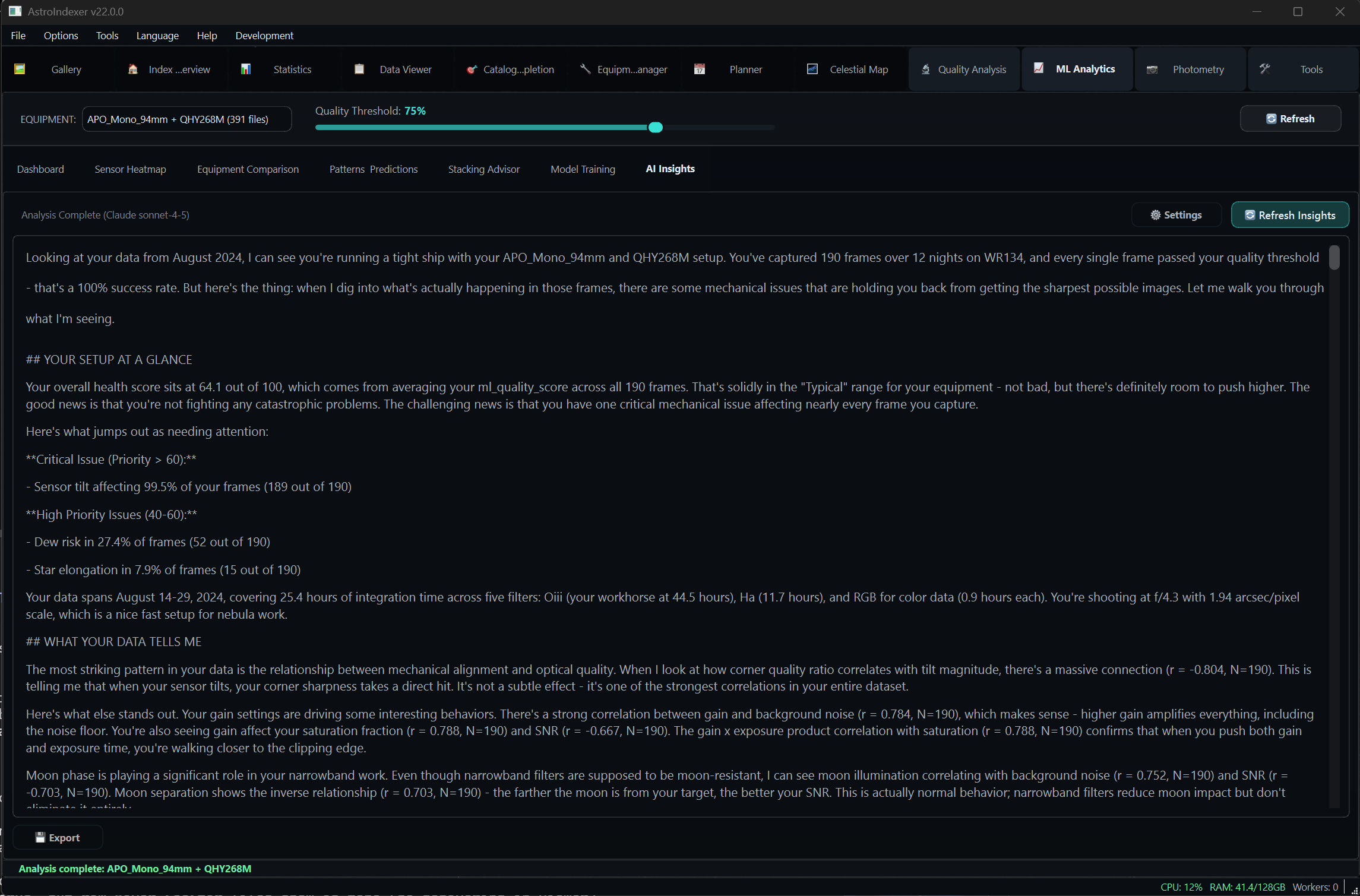
Human-readable summaries of your most impactful patterns, generated by GPT-4o or Claude. Actionable recommendations specific to your equipment and imaging style.
Free to try, works on all major platforms
Free 14-day trial included with download. No account required.
Flexible pricing for hobbyists and professionals
By purchasing, you agree to our Terms & Conditions and License Agreement. You consent to immediate delivery; your right of withdrawal expires once the download begins.